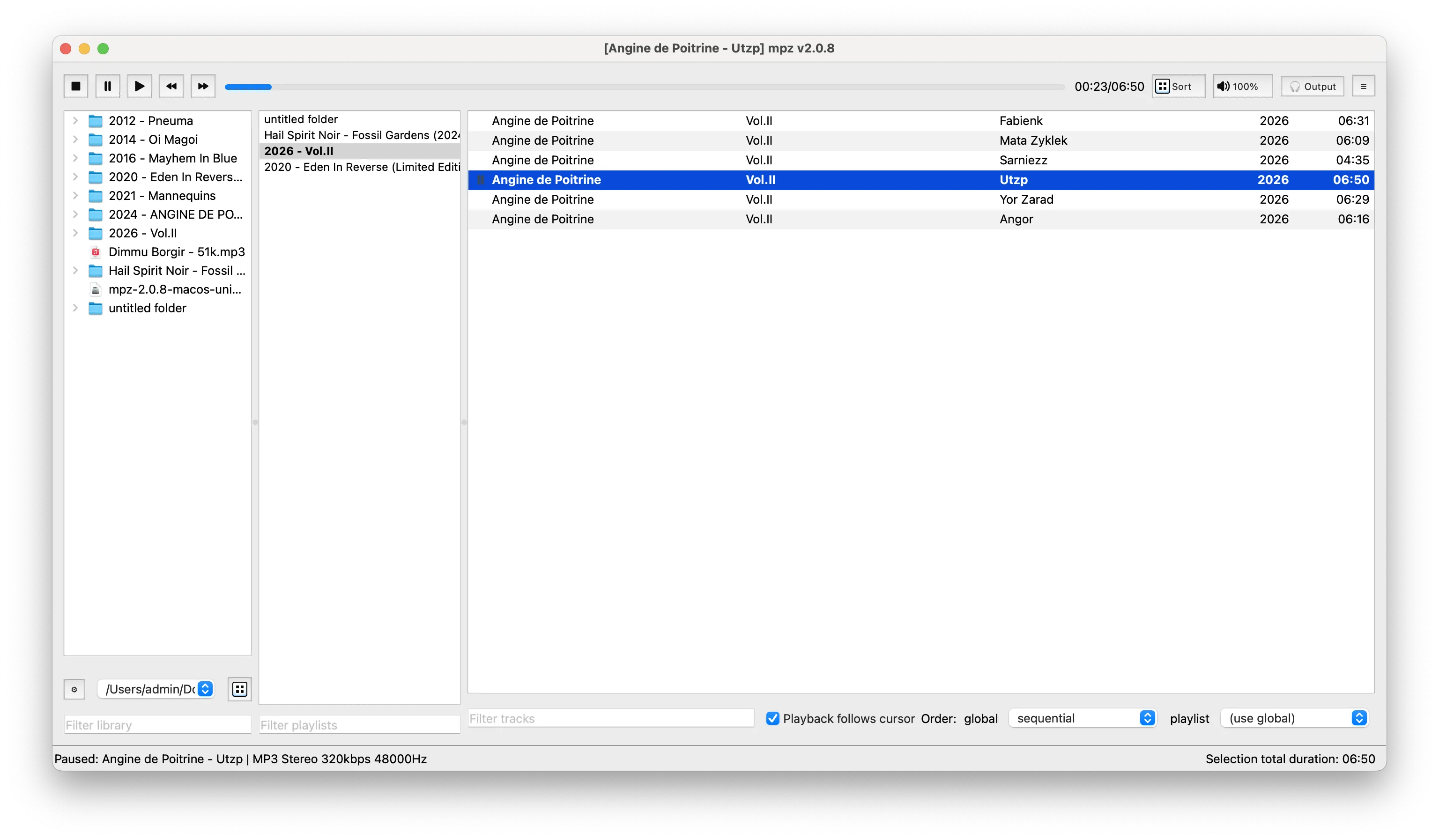
If you keep your music in folders and do not want an app to build its own library, mpz is for you. There is no import step: add your music folders and play.
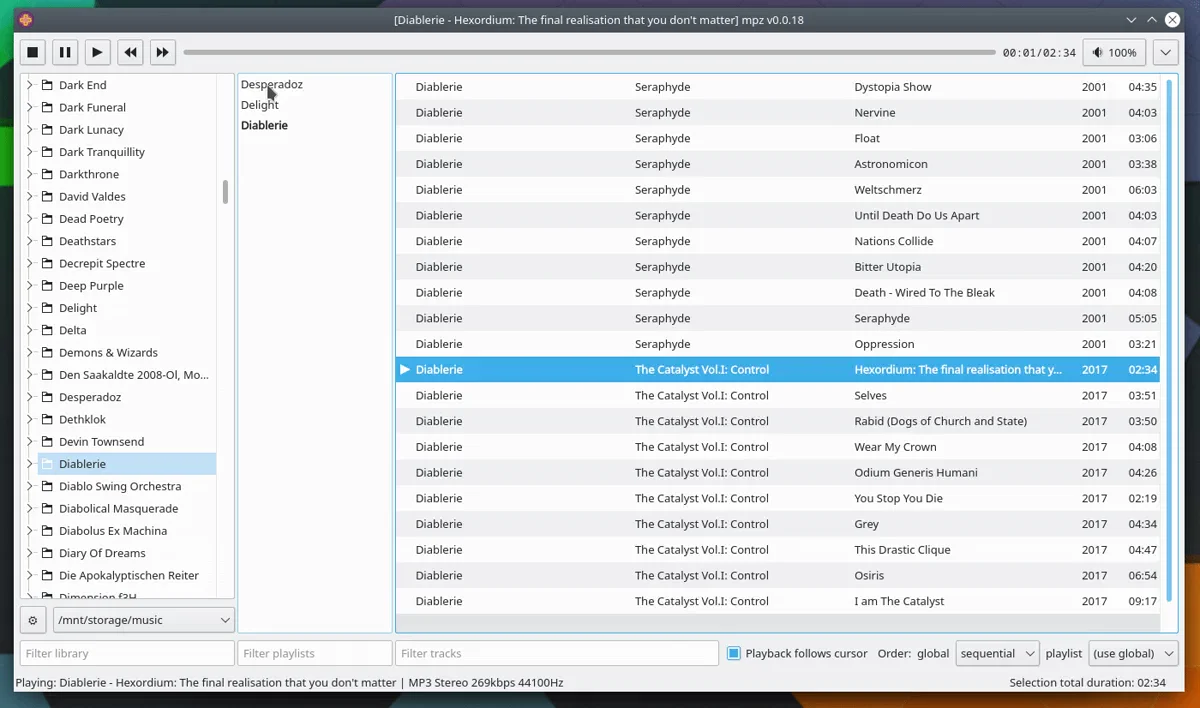
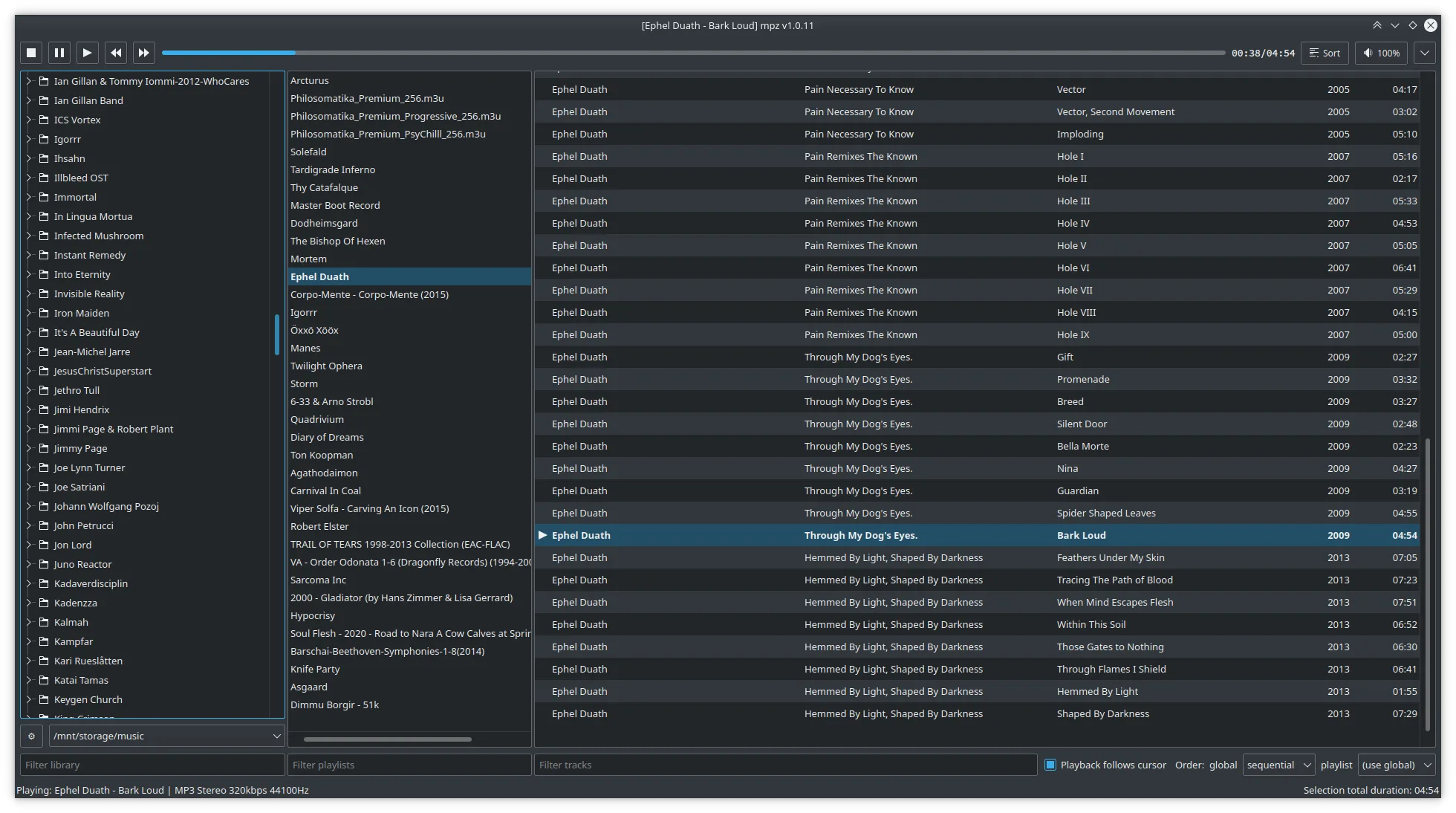
The window has three columns: the folder tree, the playlists, and the tracks of the selected playlist. Middle-click a folder to make a playlist from it. You can drag folders and tracks
between the columns, or drop them from your file manager.
mpz is written in C++ with Qt 6. It starts fast and stays responsive with large collections. It uses your desktop theme and the audio codecs already installed on your system (GStreamer
or ffmpeg through QtMultimedia on Linux). License: GPL-3.0.
Gapless playback
No silence between tracks, also for single-file albums with a CUE sheet. Decoded audio is kept in memory (100 MB by default, changeable in Settings → Advanced), so seeking is
instant too. Qt 6 builds only.
Equalizer
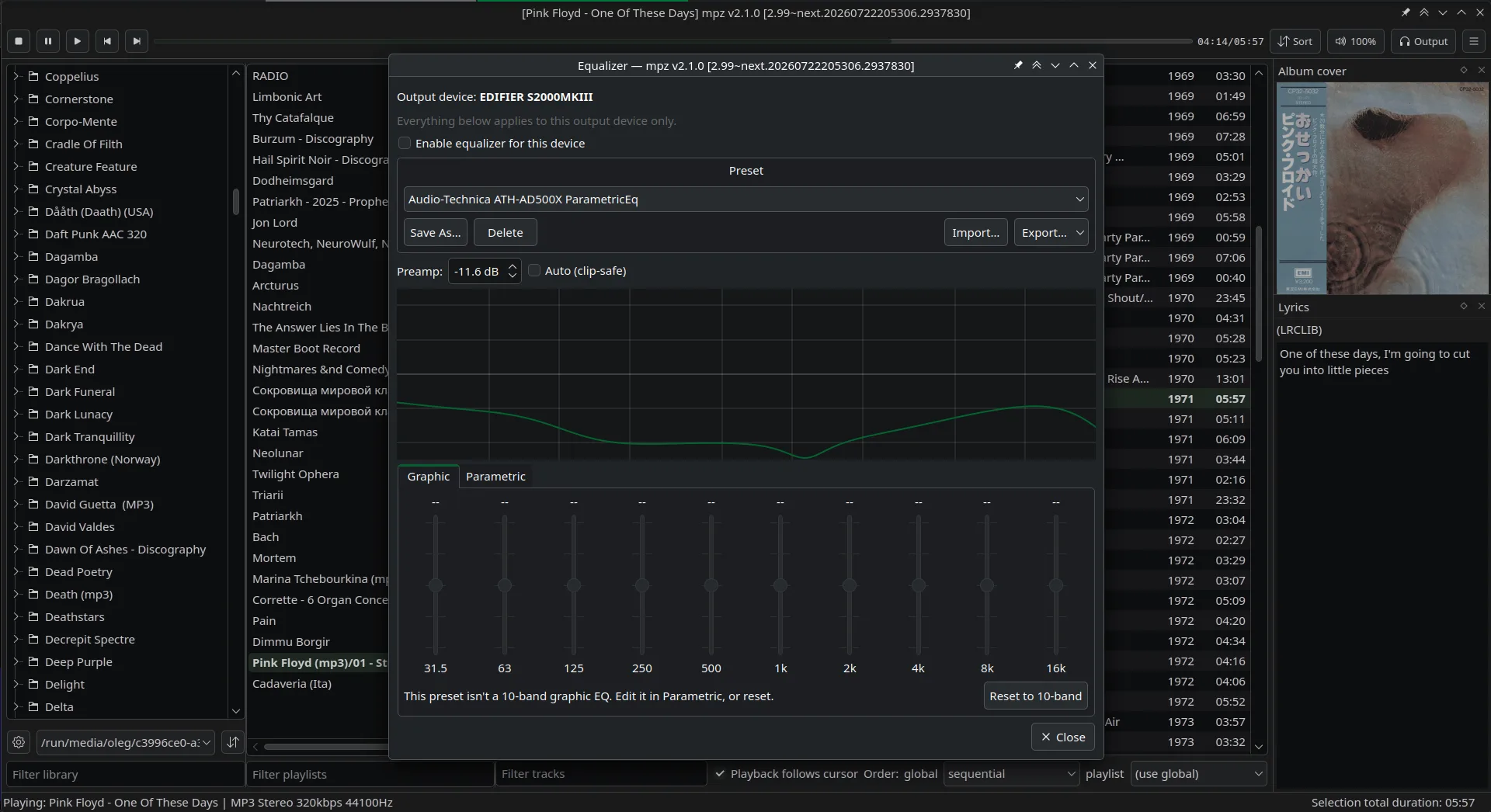
Two modes: 10-band graphic and full parametric. Presets can be imported from
AutoEq, SquigLink and similar sources. Each output device ("Default" is one of them) has its
own on/off switch and selected preset; the presets themselves are shared. When the audio device changes, for example when you unplug headphones, the equalizer changes with it.
Equalizer
ReplayGain
Volume normalization: albums mastered at different loudness play at the same level. mpz reads existing ReplayGain tags and can also measure tracks itself, in the background: the current
playlist, the selected tracks or the whole library. Results are stored in a separate database, so your files are not changed, or written into the file tags if you prefer. Track or album
gain, with preamp and clipping prevention. Optional dynamics compensation makes very loud, compressed masters a bit louder again, so metal and pop do not sound quieter than classical and
jazz.
Internet radio
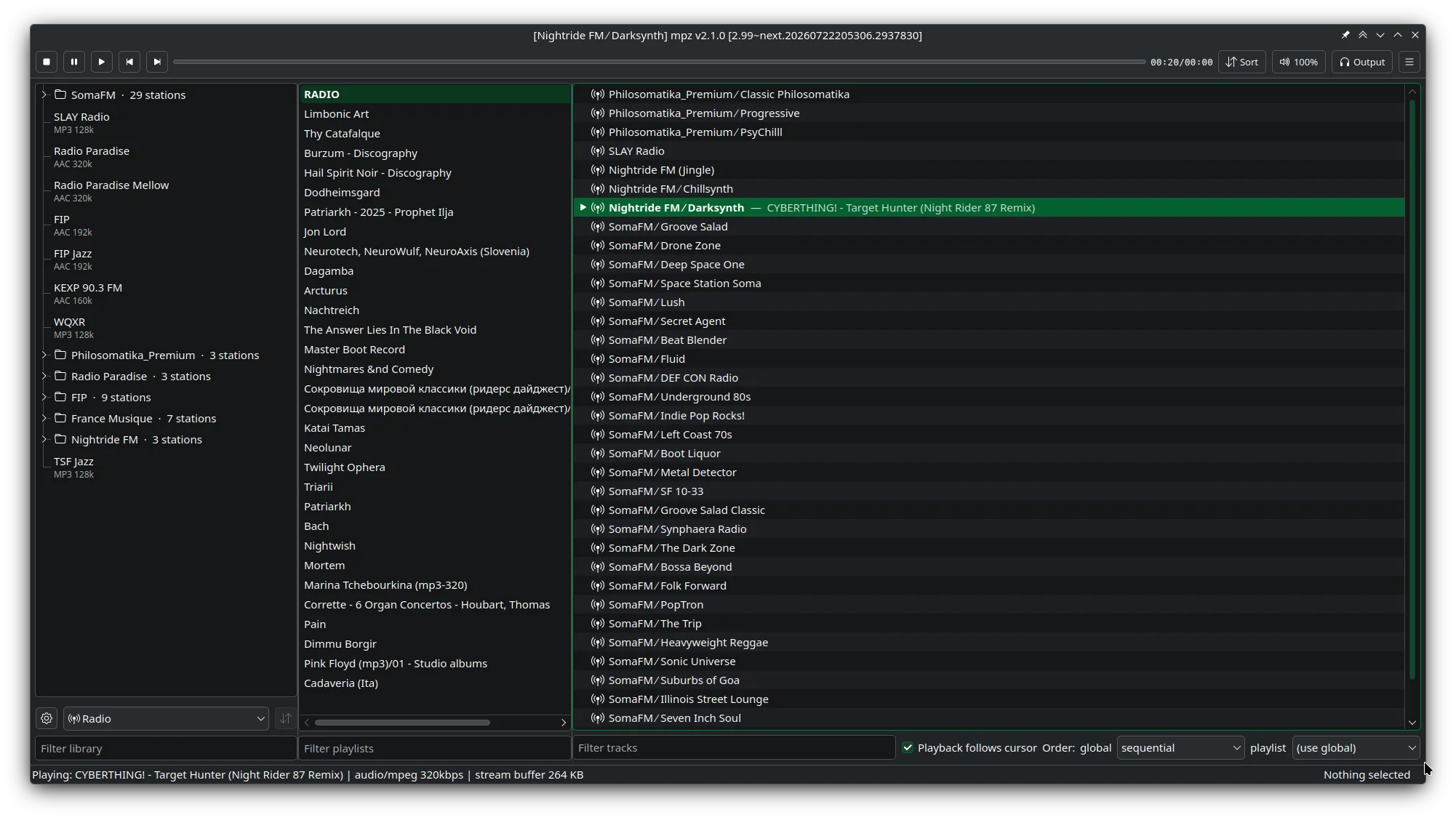
Stream playlists in m3u, m3u8 and pls play directly, or you can import them into the radio library. The library comes with stations from
SomaFM, Radio Paradise, FIP, France Musique and Nightride FM, and you can add your own. HTTPS streams and
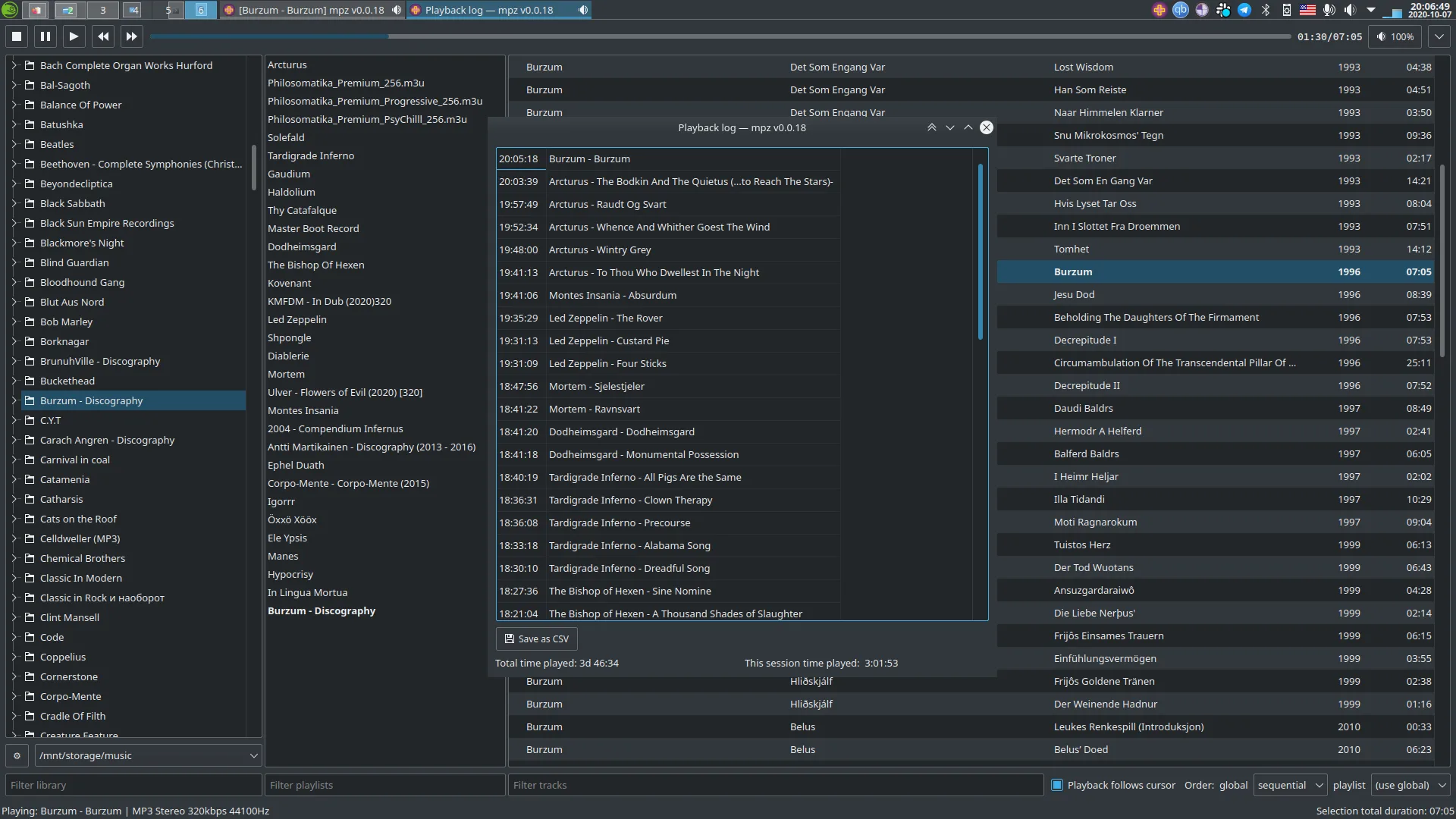
IceCast stream titles are supported. The playback log records what was played.
Radio libraryPlayback log
mpd client mode
You can add an mpd (Music Player Daemon) server as a library folder and browse and play remote music like local
files. This is experimental: mpd's library model does not match folders exactly. The
README lists the limitations.
More features
Cover art and lyrics
Read from tags, folder images and .lrc/.txt files next to the track. Online sources (Deezer, Apple Music,
Cover Art Archive; LRCLIB,
NetEase, QQ Music, Lyrics.ovh) are off until you enable them.
Tag editor
Edits ID3v2, Vorbis Comment, MP4 and APE tags through TagLib. Album artist and disc number can be shown as
columns and used for sorting.
Dynamic range meter
Per-track and album DR log in the foobar2000 format.
OS media integration
MPRIS on Linux (remote control, for example with KDE Connect), SMTC and taskbar buttons on Windows,
Now Playing and Dock on macOS, system tray.
Shortcuts
Global media keys. Every shortcut can be changed.
Waveform seekbar and output device switch
Both in the toolbar. The waveform is off by default (Settings → Interface).
Playback order
Per playlist and global: sequential, random or no-loop. Presets for track sorting.
Drag and drop
From the file manager, between the three columns, and to reorder tracks.
Playlistsm3u, m3u8 and pls, including radio streams.
Playback log
Records what was played and when. Useful with radio streams.
Portable config
Two YAML files: one global, which you can copy to another computer, and one for this machine only.
Feedback form
Built into the app. GitHub issues work too.
Update check
On Windows, macOS and the Linux AppImage. The AppImage downloads only the changed parts.
Languages
English, Russian, Japanese, Serbian. The system language is used by default.
Native look
Uses your desktop theme. Qt 5 builds are available for older distributions.
Native look on every desktop
Standard Qt widgets in your system theme.
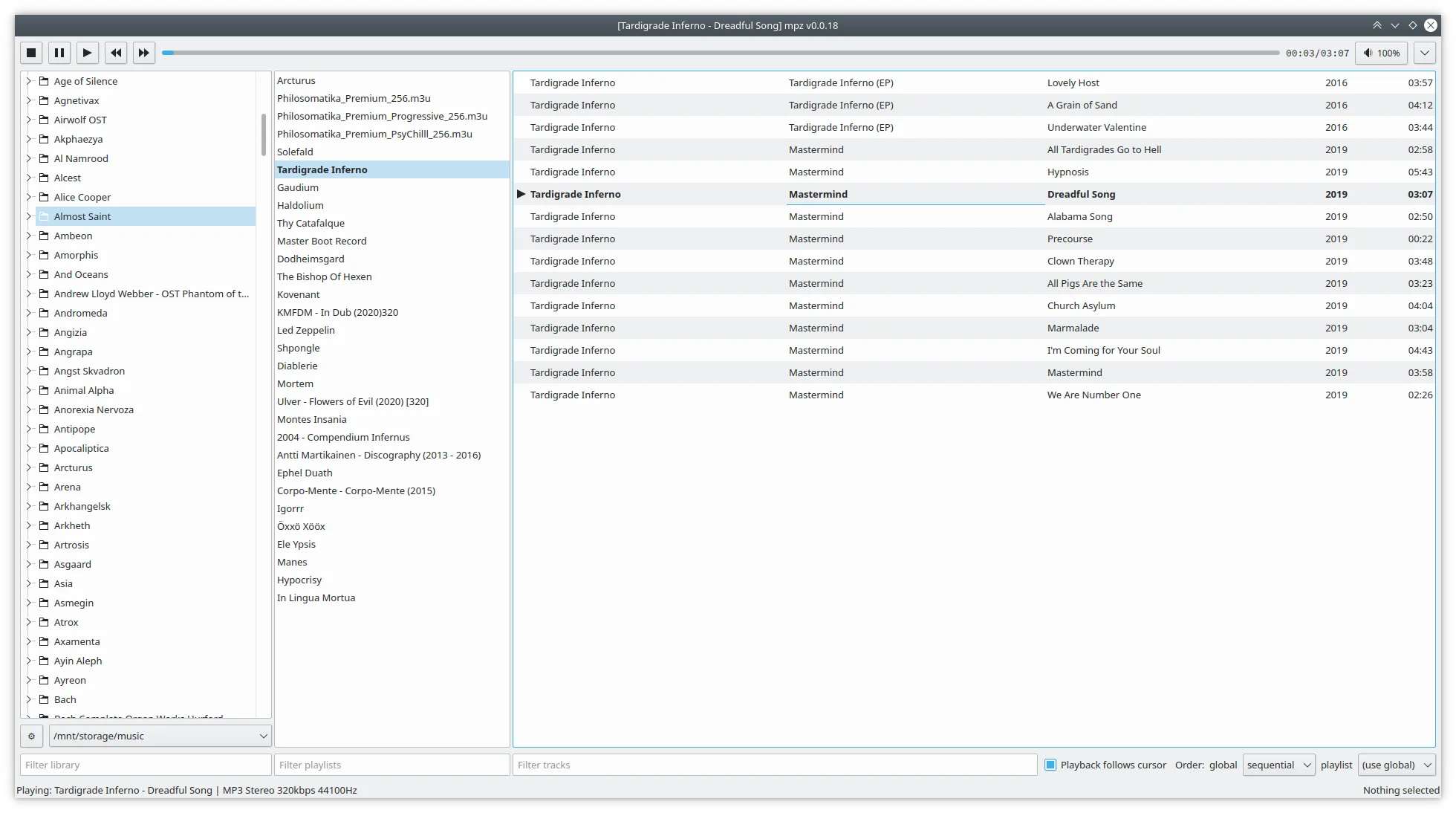
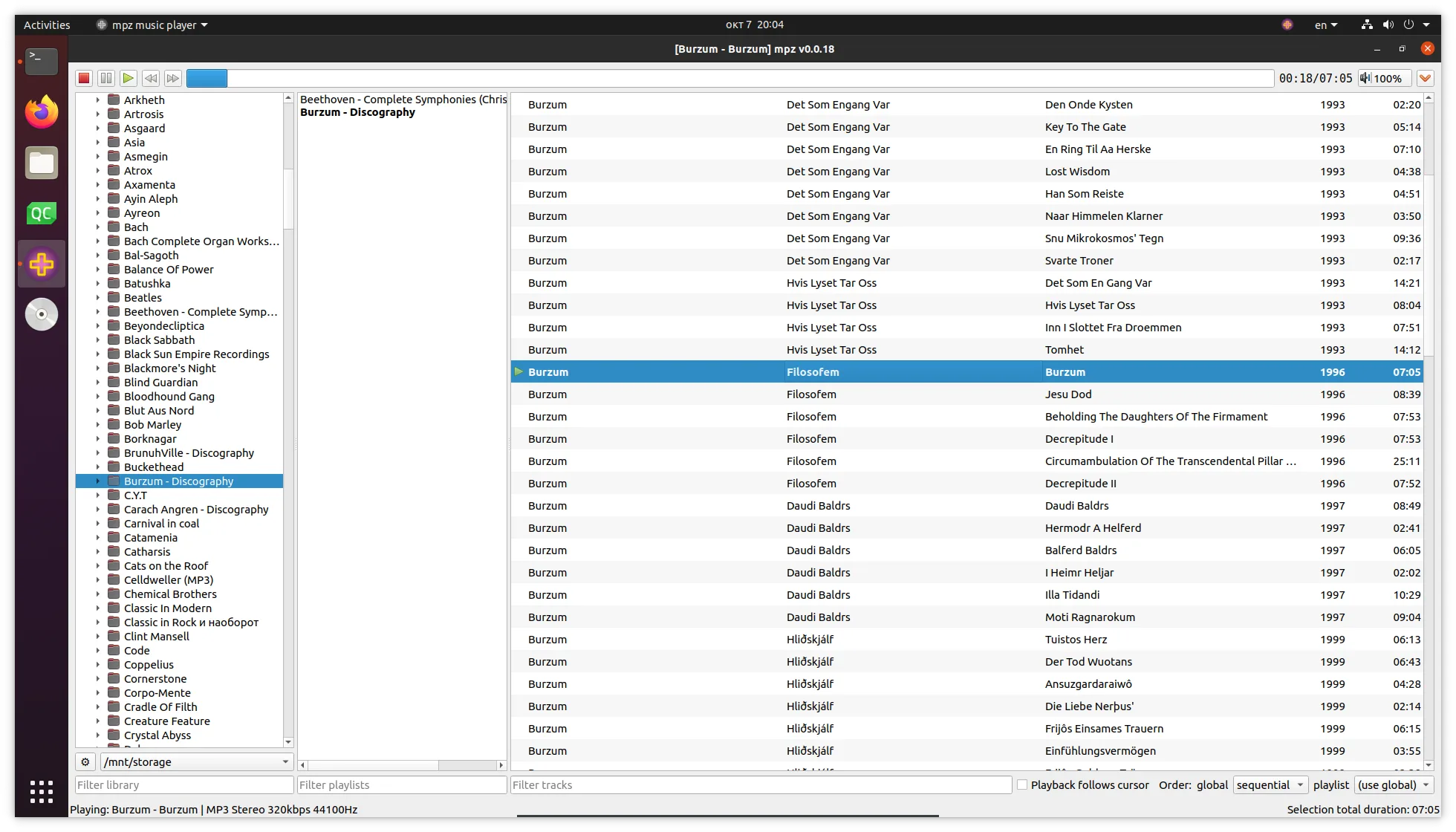
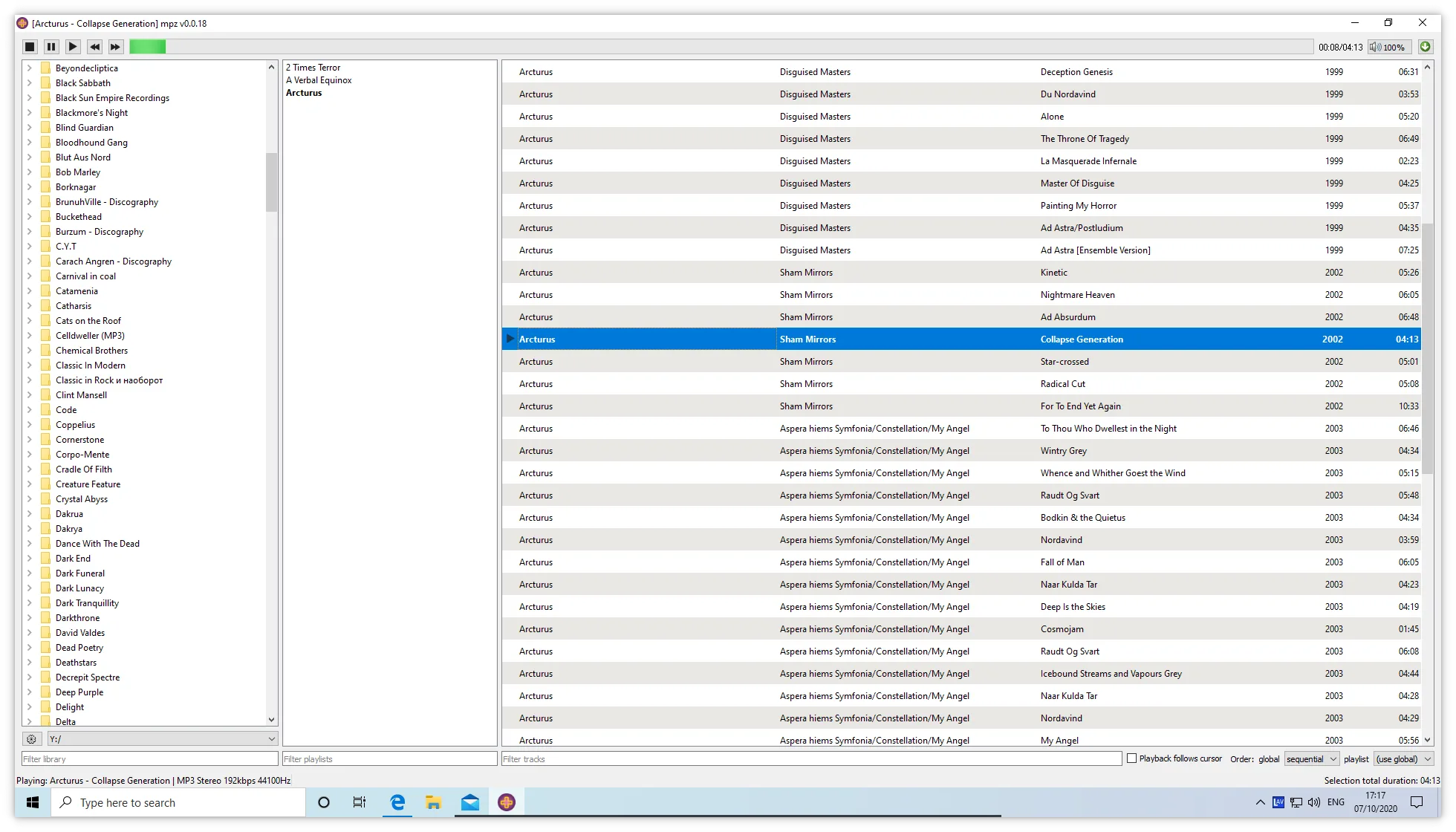
KDE Plasma, Breeze DarkKDE Plasma, Breeze LightUbuntuWindows 10macOS
Install
Linux
Native packages
Native packages for openSUSE, Debian, Fedora, Ubuntu, RedHat, Mageia, Arch and Manjaro:
The repository contains only mpz, so it cannot break anything else on your system. Packages can also be downloaded directly, without adding a repository.
Flatpak
Available on
Flathub, or from your desktop's software centre:
Arch and Manjaro can use the native packages, but there is also an
AUR package.
Windows
Installer
Run the installer from the
GitHub releases page. It creates Start Menu shortcuts and registers an
uninstaller.
To uninstall, use the "Uninstall mpz" Start Menu shortcut or Control Panel. Settings → Apps may not work on Windows 11 (a
known Qt Installer Framework bug).
Portable
Download the portable build from the
GitHub releases page, unpack it anywhere and run it. Nothing is installed
system-wide and there is no Start Menu entry.
Builds: win-x86_64-qt6 for 64-bit x64 (recommended), win-arm64-qt6 for native ARM64 (Windows on ARM), and win-legacy-qt5 for 32-bit systems
older than Windows 10.
The build is not signed, so Windows blocks it on first launch
Microsoft Defender SmartScreen: "Windows protected your PC". Click More info, then Run anyway. If there is no Run anyway button:
right-click the file → Properties → check Unblock → Apply.
Smart App Control: "cannot be verified", with no button to click and no exception list. Turn it off in
Windows Security → App & browser control → Smart App Control, install mpz, then turn it on again. On older Windows 11 builds the switch cannot be turned on again, so
check that first. Only clean installs of Windows 11 have it on.
macOS
Download the .dmg from the GitHub releases page. Universal binary
for Apple Silicon and Intel Macs (macOS 11 Big Sur or later).
Gatekeeper blocks the app on first launch
The build is not signed with an Apple Developer ID, so macOS Gatekeeper blocks it on first launch. After you drag mpz music player.app to /Applications,
use one of the two methods below.
Terminal: remove the quarantine flag, then open the app normally:
xattr -dr com.apple.quarantine "/Applications/mpz music player.app"
System Settings: try to open mpz music player.app once and dismiss the warning, then go to System Settings → Privacy & Security. Near the
bottom there is a message that mpz was blocked. Click Open Anyway and confirm. After that the app opens normally.
Foobar2000, especially its "Album list", is the inspiration, but an exact cross-platform copy is not possible and not the goal. mpz has the features I have used for many years, with the
same Foobar2000 config since about 2005. If you want a Foobar2000-style player on Linux, macOS or Windows, try it, and tell me what is missing through the built-in feedback form or
GitHub issues.
Frequently asked questions
What is mpz?
A free and open-source folder player for large local music collections, written in C++ and Qt. It plays directly from your folder structure instead of importing it into a database,
with three columns for the folder tree, playlists and tracks. Middle-click any folder to make a playlist from it.
Is mpz a Foobar2000 alternative?
Partly. mpz is inspired by Foobar2000, especially its "Album list", but it is not a clone: an exact cross-platform copy is not possible and not the goal. It has the features the author
has used daily for years, in a native folder-based player for Linux, macOS and Windows. Foobar2000 itself runs only on Windows.
Can mpz handle very large music collections?
Yes, that is what it is made for. Your folder structure is the library, so nothing has to be scanned into a database before you can play.
What platforms does mpz support?
Linux, macOS and Windows. On Linux, install the native packages (openSUSE, Debian, Fedora, Ubuntu, RedHat, Mageia, Arch, Manjaro) for x86_64 and aarch64, or use the AUR, Flathub (flatpak install flathub org.mpz_player.mpz) or an AppImage. On Windows, download a release from GitHub: 64-bit x64, native ARM64 (Windows on ARM) or 32-bit for old systems. On macOS, download the .dmg from GitHub
releases. That build is not signed, so Gatekeeper blocks it on first launch: remove the quarantine flag with
xattr -dr com.apple.quarantine "/Applications/mpz music player.app", or click Open Anyway under System Settings → Privacy & Security. Building from
source works on any platform with Qt and a C++ compiler.
Is mpz available as a Flatpak?
Yes, on Flathub as org.mpz_player.mpz. Install it with
flatpak install flathub org.mpz_player.mpz, or from your desktop's software centre. It works on any distribution, but native packages are better if your distribution has
them.
Does mpz have a mobile app (Android or iOS)?
No. mpz is a desktop player for Linux, macOS and Windows; there is no Android or iOS version. On Linux you can control playback from a phone over MPRIS, for example with
KDE Connect.
Is mpz free?
Yes. mpz is free and open-source software, licensed under the GNU GPL v3.
Does mpz support streaming services?
No, mpz is for local music files. Internet radio works (a radio library with built-in stations, plus m3u, m3u8 and pls stream playlists), but
streaming services are not supported.
Does mpz play internet radio?
Yes. Stream playlists in m3u, m3u8 and pls play like any other playlist. Version 2.1.0 added a radio library with built-in stations from SomaFM,
Radio Paradise, FIP, France Musique and Nightride FM, your own stations, HTTPS, a radio row view, and stream titles from IceCast's status-json.xsl. Stream playlists still
play directly, or can be imported into the library.
What audio formats does mpz support?
FLAC, MP3, Ogg Vorbis, Opus, Speex, AAC, ALAC, M4A/M4B/MP4, WAV, AIFF, WMA/ASF, APE, WavPack, Musepack, TTA, MKA, DSD (DSF/DFF) and Shorten, played through your system's codecs
(QtMultimedia with the GStreamer or ffmpeg backend on Linux, native backends on macOS and Windows). Playlists and radio streams: m3u, m3u8, pls.
Because playback uses system codecs, the exact list depends on what is installed.
Does mpz support gapless playback?
Yes, between any two tracks, not only inside CUE-sheet albums. Decoded audio is kept in memory (100 MB by default, changeable in Settings → Advanced), so seeking is instant
too. Qt 6 builds only.
Does mpz have an equalizer?
Yes. Two modes: 10-band graphic and full parametric. Presets can be imported from AutoEq, SquigLink and similar sources. Each output device ("Default" is one of them) has its own
on/off switch and selected preset; the presets themselves are shared. When the audio device changes, for example when you unplug headphones, the equalizer changes with it.
Does mpz support ReplayGain?
Yes. mpz reads existing ReplayGain tags and can also measure tracks itself, in the background: the current playlist, the selected tracks or the whole library. Results are stored in a
separate database, so the audio files are not changed, or written into the file tags. Track or album gain, with a preamp, optional dynamics compensation for very loud, compressed
masters, and clipping prevention.
Does mpz support CUE sheets?
Yes, including gapless playback of single-file albums with a CUE sheet.
Does mpz measure dynamic range (DR)?
Yes. Select tracks and choose "Dynamic range" in the playlist context menu, or open it from the track info dialog. You get a per-track and album DR log in the foobar2000 Dynamic Range
Meter format.
What languages is mpz available in?
The interface is available in English, Russian, Japanese and Serbian. The system language is used by default.
Can mpz act as an mpd client?
Yes, as an experimental mode. You can add an mpd server as a library folder. There are limitations: see the
mpd section of the README.
Does mpz support lyrics?
Yes. Lyrics can come from tags, from .lrc or .txt files next to the track, or from online sources:
LRCLIB, NetEase, QQ Music or Lyrics.ovh. Online lookup is off until you enable a provider in
Settings → Online lyrics & covers. Lyrics appear in the Track Info dialog or in a dockable Lyrics panel.
Can mpz download missing cover art?
Yes, after you enable it. Cover art comes from tags or folder images first. If there is none, mpz can look it up online through Deezer, Apple Music or
Cover Art Archive. These sources are off by default: enable and reorder them in
Settings → Online lyrics & covers, where downloaded covers can also be deleted.
Can mpz edit tags?
Yes. There is a built-in tag editor for track metadata (title, artist, album and so on) for the formats TagLib supports: ID3v2, Vorbis Comment, MP4 and APE.
Why is it called mpz?
The "z" stands for a simple approach: nothing extra, nothing distracting.